

Peak skin dose and 3D skin dose maps for fluoroscopic X-ray procedures.


Quick start · Headless use · User guide · Changelog · Discussions
Independently maintained fork of PySkinDose. Original author: Max Hellström. This fork is not an official or endorsed PySkinDose release unless upstream maintainers say otherwise.
Current maintainer: @kgrizz-git — see SUPPORT.md and GOVERNANCE.md.
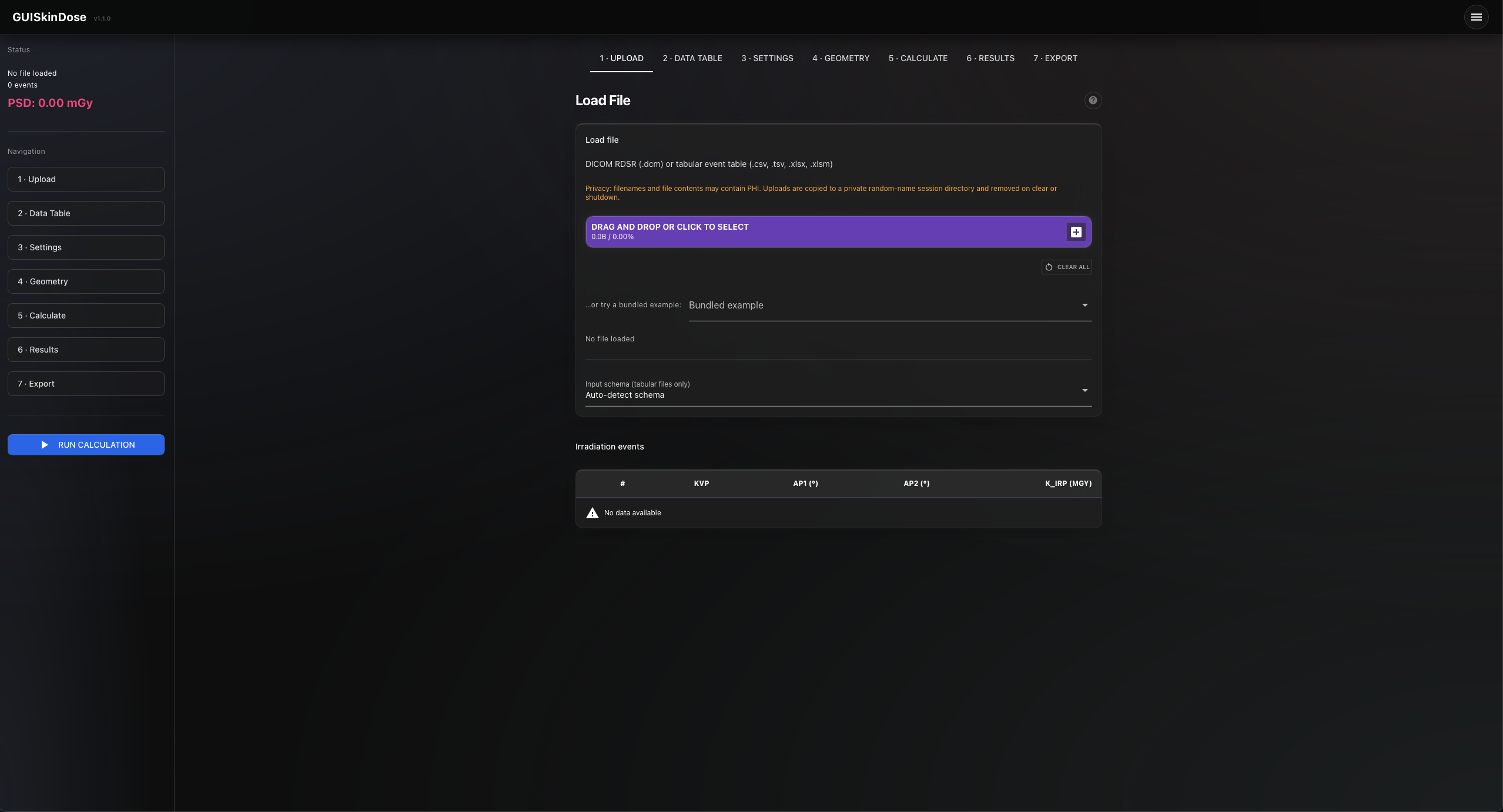
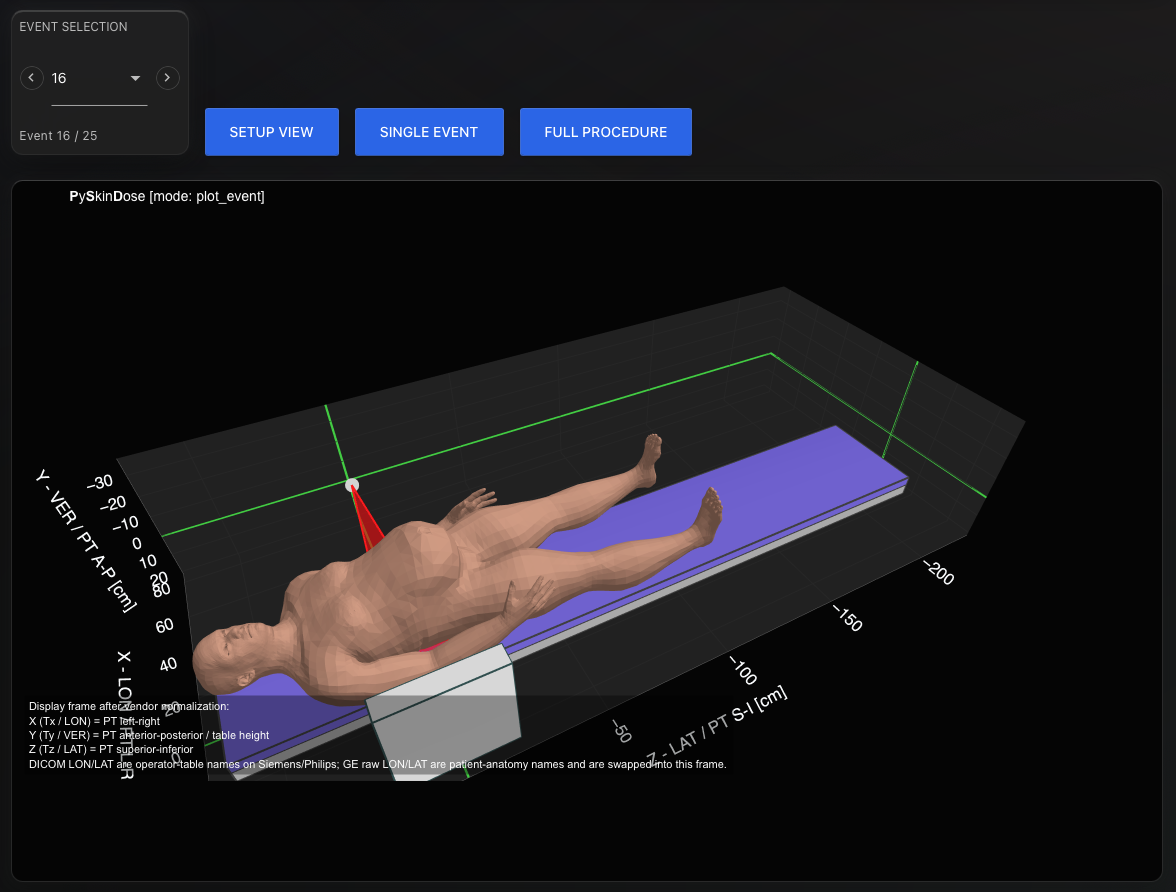
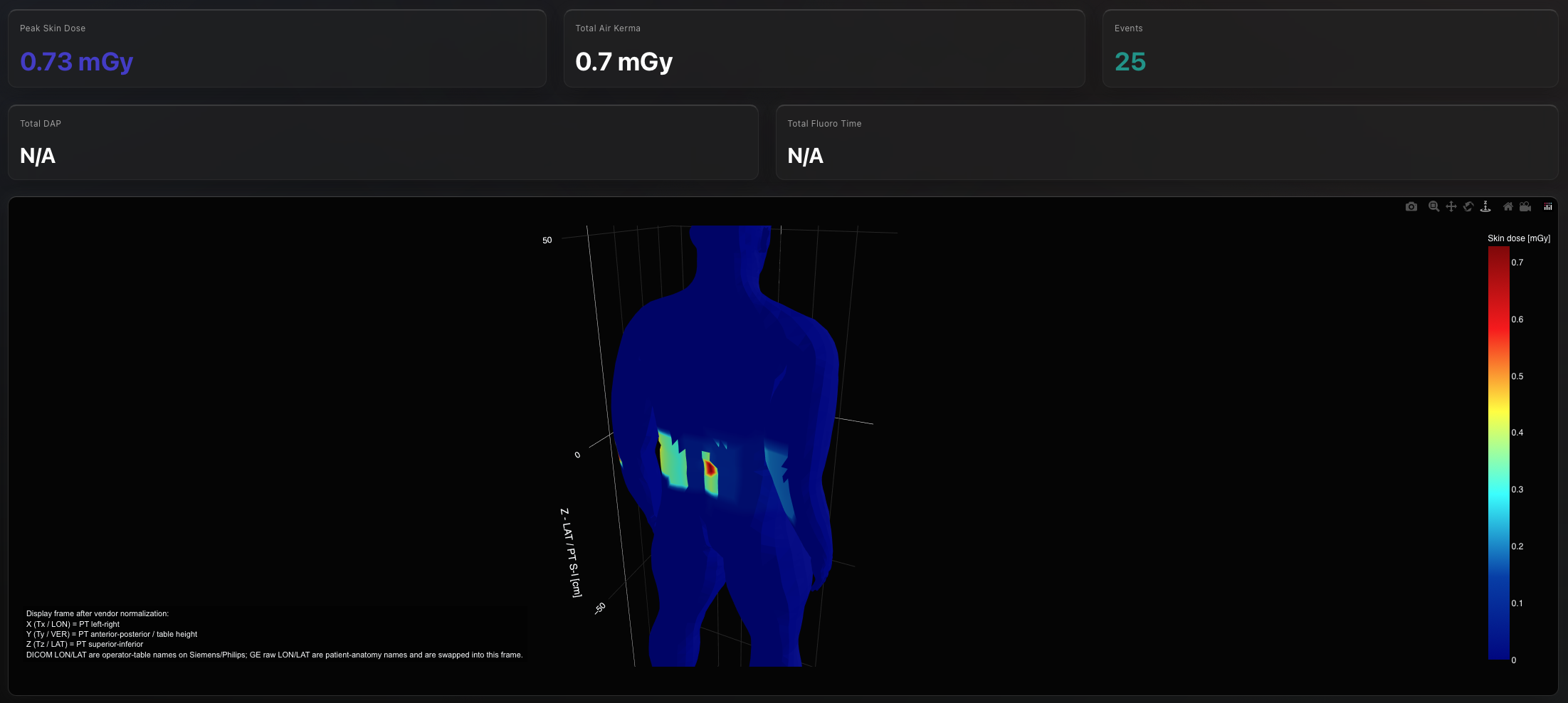
GUISkinDose estimates peak skin dose (PSD) and 3D skin dose maps for fluoroscopic X-ray procedures. Load a DICOM RDSR (or a tabular event-table export), preview the examination geometry, run the dose calculation, and export an audit report — from a graphical interface or headlessly from scripts.
The distribution and import package name is guiskindose (distinct from upstream).
| Upload | Geometry |
|---|---|
 |
 |
| Results | Export |
 |
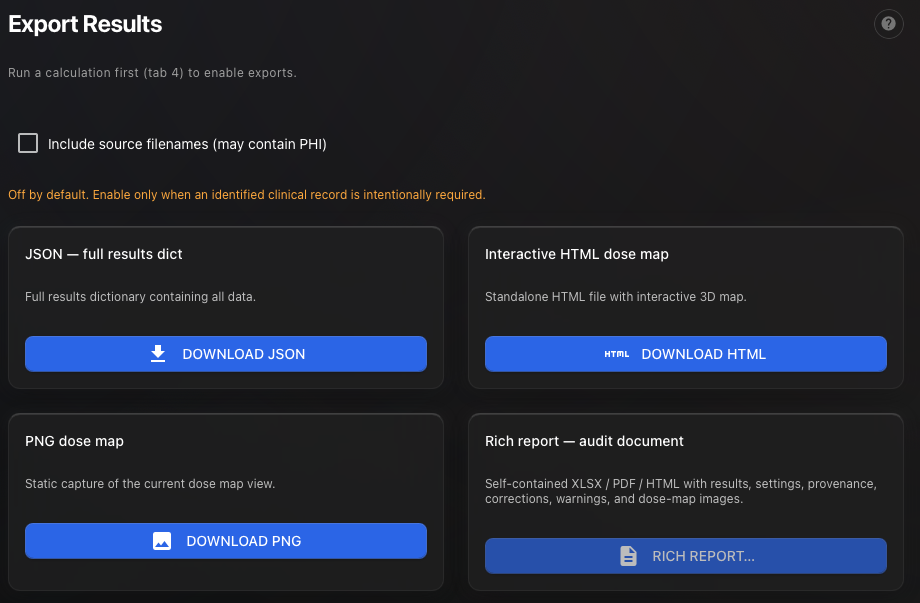 |
Captured with the bundled example data; no patient data.
GUISkinDose is intended for research, education, development, and institutional quality-assurance workflows. It is not FDA-cleared (or otherwise certified) as a medical device, and results are not independently validated for making patient-care decisions on their own.
Physicists and physicians remain responsible for reviewing outputs, confirming that inputs and geometry settings are appropriate, and making any clinical or patient-care decisions. Do not treat dose maps or PSD values as a substitute for professional judgment, institutional policy, or regulatory clearance.
Never commit or attach real patient data to issues, pull requests, or the repository — see CONTRIBUTING.md and dev-docs/PRIVACY_AND_SENSITIVE_ASSETS.md.
Install from PyPI and launch the GUI:
pip install "guiskindose[gui]"
guiskindose --mode gui
Or install the command in its own isolated environment with uv or pipx:
uv tool install "guiskindose[gui]"     # or: pipx install "guiskindose[gui]"
guiskindose --mode gui
The GUI opens in your browser. To open it in its own window, install the native extra and
add --native:
pip install "guiskindose[gui-native]"   # or: uv tool install "guiskindose[gui-native]"
guiskindose --mode gui --native
Install guiskindose with no extras for the library and CLI only.
The GUI walks through Upload (RDSR DICOM or tabular CSV/TSV/XLSX) → Data review → Settings (phantom, per-exam offsets) → Corrections → Geometry preview → Calculate → Results (PSD, dose map) → Export (JSON, HTML dose maps, and XLSX/PDF/DOCX audit reports). PNG exports, and the dose-map images embedded in the XLSX, PDF, HTML, and DOCX reports, need a Chromium-family browser such as Chrome or Edge. Bundled example RDSR files let you try it without data of your own.
Feature highlights include multi-exam aggregation with per-exam offsets, DoseTrack and Radimetrics imports with schema auto-detection, kerma-meter correction by equipment and tube, rich audit reports, and a human phantom library with habitus scaling. See the User guide and the feature inventory.
GUISkinDose runs entirely on your machine and does not upload study data. The GUI listens
only on 127.0.0.1. In browser mode it also requires a per-launch link that the app opens
for you. Default logging leaves out file names and paths, because those often contain
patient identifiers. See
Running the GUI for launch options, local-access
details, logging, and platform notes.
Within the intended-use boundary above, GUISkinDose is meant to be used in a few different ways:
- Inspect or debug the examination geometry before doing dose calculations.
- Step through irradiation events from an RDSR study to understand beam orientation and positioning.
- Calculate a skin dose map on a mathematical or human phantom.
- Export the calculation result as HTML, JSON, XLSX, PDF, or DOCX rich audit report, or as a Python dictionary for downstream processing.
- Run the analysis headlessly from your own Python scripts.
To work on the code, clone the repository and install it in editable mode:
git clone https://github.com/kgrizz-git/GUISkinDose.git
cd GUISkinDose
uv sync --extra gui        # or: pip install -e ".[gui]"
run_gui.sh (macOS/Linux) and run_gui.bat (Windows) launch the GUI from a checkout and
set up the environment. Install .[dev,gui] for the lint, type, and test toolchain. See
CONTRIBUTING.md for the full development setup.
- Python 3.11 or above
- A settings configuration, typically based on src/guiskindose/settings_example.json
- A DICOM RDSR file (
.dcm), a pre-parsed JSON export, or a supported tabular event-table export (.csv,.tsv,.xlsx)
Run guiskindose --help for the full list. Common headless examples:
guiskindose --file-path study.dcm
guiskindose --file-path events.csv --input-schema auto
guiskindose --file-path workbook.xlsx --sheet-name "Sheet1"
guiskindose --file-path study.dcm --export-format xlsx --export-path report.xlsx
Notable flags: --input-schema (default auto for tabular files), --input-preview-only,
--export-format {xlsx,pdf,html,docx}, --export-path, --include-source-identifiers (opt-in;
may include PHI-bearing source filenames in reports), --kerma-meter-correction and related
kerma-meter options, --equipment-profile (repeatable custom-profile file) and
--equipment-profile-sheet (XLSX sheet name or 0-based index).
from guiskindose import PyskindoseSettings, get_path_to_example_rdsr_files, load_settings_example_json
from guiskindose.main import main

settings = PyskindoseSettings(settings=load_settings_example_json())
settings.mode = "calculate_dose"
settings.output_format = "dict"
settings.phantom.model = "human"
settings.phantom.human_mesh = "hudfrid"

rdsr_dir = get_path_to_example_rdsr_files()
output = main(settings=settings, file_path=rdsr_dir / "siemens_axiom_example_procedure.dcm")

print(f"Estimated PSD: {output['psd']:.1f} mGy")
When settings.output_format is set to dict or json, the result can be used programmatically. The exported result includes items such as patient/table/pad data, event geometry, correction factors, dose map data, and peak skin dose. If you already have normalized RDSR data in a pandas DataFrame, use analyze_normalized_data_with_custom_settings_object() instead.
Validated manufacturer/model coordinate profiles can override vendor coordinate
handling for raw inputs, from Python (assemble_session()), a settings-file
equipment_profiles block, or --equipment-profile. See
Custom equipment profiles for the API,
CLI flags, and capture replay.
New to GUISkinDose? Prefer the GUI or the interactive getting-started notebook
(docs/source/getting_started/getting_started.ipynb;
run it via pip install -e ".[notebooks]" + python scripts/open_getting_started_notebook.py, which
opens an ignored local copy so experiments never dirty the tracked source).
The package includes helper functions that make exploration easier:
load_settings_example_json()loads a ready-made settings template.print_available_human_phantoms()lists available human phantom meshes.get_path_to_example_rdsr_files()returns the folder containing bundled example RDSR files.print_example_rdsr_files()prints the bundled example filenames.
Important settings live in src/guiskindose/settings_example.json and the settings classes under src/guiskindose/settings.
| Mode | What it does |
|---|---|
plot_setup |
Plot the initial geometry without loading an irradiation sequence |
plot_event |
Inspect one irradiation event |
plot_procedure |
Inspect the full event sequence |
calculate_dose |
Compute the dose map and peak skin dose estimate |
Common phantom models: plane, cylinder, human.
The user documentation lives under docs/source, including the
getting-started notebook. To build it locally, run pip install -e ".[docs]" and then
python -m sphinx -b html docs/source docs/build/html, then open
docs/build/html/index.html.
- Independently maintained fork of PySkinDose; MIT license and upstream copyright preserved.
- Package identity:
guiskindose(see dev-docs/GUISKINDOSE_MIGRATION_STATUS.md). - How we maintain the fork: dev-docs/FORK_MAINTAINER_GUIDE.md.
- Bugs and features: GitHub Issues (templates require a no-PHI/PII confirmation; see dev-docs/PRIVACY_AND_SENSITIVE_ASSETS.md).
- Questions and contribution ideas: GitHub Discussions. Ideas welcome — prefer Issues/Discussions over cold PRs (CONTRIBUTING.md).
- Security: SECURITY.md. Support channels: SUPPORT.md.