
AI-powered trip planning assistant with interactive maps. Ask in natural language — WandeRound finds places, builds a route, and shows it on a map.
Stack: FastAPI · LangGraph · DeepSeek · Next.js · Tailwind CSS · OpenStreetMap
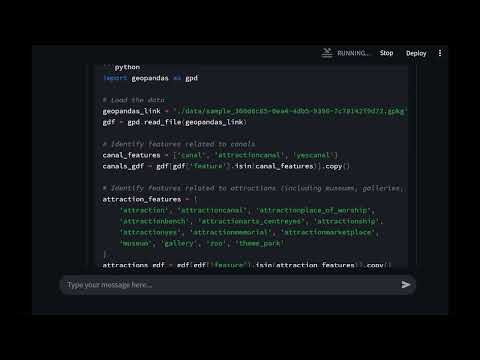
Wanderound Demo Video
You need two terminals running at the same time.
- Python 3.10+
- Node.js 18+
- A DeepSeek API key
git clone https://github.com/nii0708/WandeRound.git
cd WandeRound
Copy the env template and fill in your API key:
cp .env.example .envEdit .env:
DEEPSEEK_API_KEY = sk-your-key-here
DEEPSEEK_MODEL   = deepseek-v4-flash
pip install -r requirements.txt
python server.py
Backend runs at http://localhost:8000
cd frontend
npm install
npm run dev
Frontend runs at http://localhost:3000
Open http://localhost:3000 in your browser.
-
Go to render.com and sign in
-
Click New → Web Service
-
Connect your GitHub repository
-
Fill in the settings:
Field Value Root Directory (leave empty) Runtime Python 3 Build Command pip install -r requirements.txtStart Command python server.py -
Go to the Environment tab and add:
DEEPSEEK_API_KEY = sk-your-key-here DEEPSEEK_MODEL = deepseek-v4-flash -
Click Deploy
-
Wait for the build to finish, then copy the service URL — it looks like
https://wanderound.onrender.com
Note: The free tier spins down after 15 minutes of inactivity. The first request after idle takes ~30–60 seconds to wake up. This is normal.
-
Go to vercel.com and sign in
-
Click Add New → Project
-
Import the same GitHub repository
-
Important: change the Root Directory to
frontend -
Framework will be auto-detected as Next.js
-
Go to Environment Variables and add:
NEXT_PUBLIC_BACKEND_URL = https://wanderound.onrender.comReplace the URL with the one you got from Render.
-
Click Deploy
Your app is now live at the Vercel URL.
Every push to
mainautomatically redeploys both Render and Vercel — no manual steps needed.
| Variable | Where | Description |
|---|---|---|
DEEPSEEK_API_KEY |
Backend (Render) | API key from platform.deepseek.com |
DEEPSEEK_MODEL |
Backend (Render) | Model name — use deepseek-v4-flash |
NEXT_PUBLIC_BACKEND_URL |
Frontend (Vercel) | Your Render backend URL |
WandeRound/
├── app.py              # LangGraph agent (trip planning logic)
├── server.py           # FastAPI backend with SSE streaming
├── thread_manager.py   # Chat thread persistence
├── tools/
│   ├── osm.py          # OpenStreetMap / Overpass API
│   └── route.py        # Route optimization (TSP)
├── data/               # GeoPackage files (auto-created, gitignored)
├── frontend/           # Next.js frontend
│   └── src/
│       ├── app/        # Pages and layout
│       ├── components/ # ChatSidebar, ChatWindow, MapView
│       ├── lib/        # Utilities
│       └── types/      # TypeScript types
└── requirements.txt    # Python dependencies
I'm really thankful to the OSM, Overpass, and Nominatim communities so that this project can happen. Thx to @AshecOne that tested this code and ISHteam that helped me a lot in 2025.
Built with OpenStreetMap · Overpass API · DeepSeek · LangGraph